Multiplayer vibe coding is a team building one app together with AI. Nobody sends a copy around. Each teammate asks the AI tool they already use for the part they need, and every change lands in the same project behind the same link.
Say a five-person marketing team at Fernway, a coffee roaster, is launching a winter blend. Each teammate adds one section to a shared marketing hub, a small internal app: an overview, a launch checklist, a campaign calendar, a content tracker and a link builder. Each section says who added it and which tool they used. The example hub is live, so you can open it now.
On this page: Quick answer · Key facts · How the team built it · What each teammate added · How the hub grew · Build one app with AI as a team · FAQ
Quick answer
To build one app with AI as a team, put it in one project with one link that everyone changes. The first person creates the project and invites the team. Each teammate connects Server4Agent to their own AI tool, whether that is Claude, ChatGPT, Cursor, VS Code or Codex CLI, and asks it to add their part. Every change goes into the same running project, so the whole team sees the app grow at the same address.
Key facts
| Live hub | fernway-marketing-hub-768.apps.server4agent.com |
| Dark mode | Add ?theme=dark to any page, or let it follow your system setting |
| Team | Five teammates in the example, each in a different AI tool |
| Sections | Overview, Launch checklist, Campaign calendar, Content tracker, Link builder |
| Credits | Every page shows who added it and with which tool |
| History | Each section is its own change in the project's git history, listed in order on the overview |
| Server | One small Node.js server with no dependencies, on a Server4Agent project |
| Plan that fits | Pro, $99 a month, has 5 seats, one for each teammate |
How the team built it
Say Fernway's marketing team has two weeks until Winter Blend goes on sale on Tuesday 8 December. Their plans are spread across chat threads, a spreadsheet and three docs, so they put the launch in one place that all of them can add to.
| Who | Role | AI tool | What they added |
|---|---|---|---|
| Ana | Head of marketing | Claude | Started the hub: overview and brand basics |
| Priya | Launch manager | ChatGPT | Launch checklist |
| Dana | Designer | Cursor | Campaign calendar |
| Ravi | Content lead | VS Code | Content tracker |
| Leo | Growth engineer | Codex CLI | Link builder |
- Ana starts the project. She asks Claude for a marketing hub on Server4Agent with the launch at a glance, the team and the brand basics everyone writes to. Server4Agent puts it in a project on her account's server and gives it one link.
- Ana invites the team. From Team in the dashboard she sends each person an invite. Priya, Dana, Ravi and Leo join as members, so they can build and change projects. Shop managers who only need to read the hub could join as viewers, who can open the links shared with them and nothing else.
- Ana keeps it in the team. Once the hub is live, she opens the project's settings and, under Who can open it, picks My team, so opening the link needs a sign-in from someone on the account. The other two choices are anyone with the link, and a password.
- Each teammate connects their own tool. Priya connects ChatGPT, Dana connects Cursor, Ravi connects VS Code and Leo connects Codex CLI, each once, with the steps on the integrations page. Nobody has to switch tools to join in.
- Each one adds their part. They ask their tool for the section they need, in plain words, and it lands in the same project. The navigation picks up each new section for everyone.
- Everyone opens the same link. There's no "latest version" to send around. The hub at the link is the latest version.
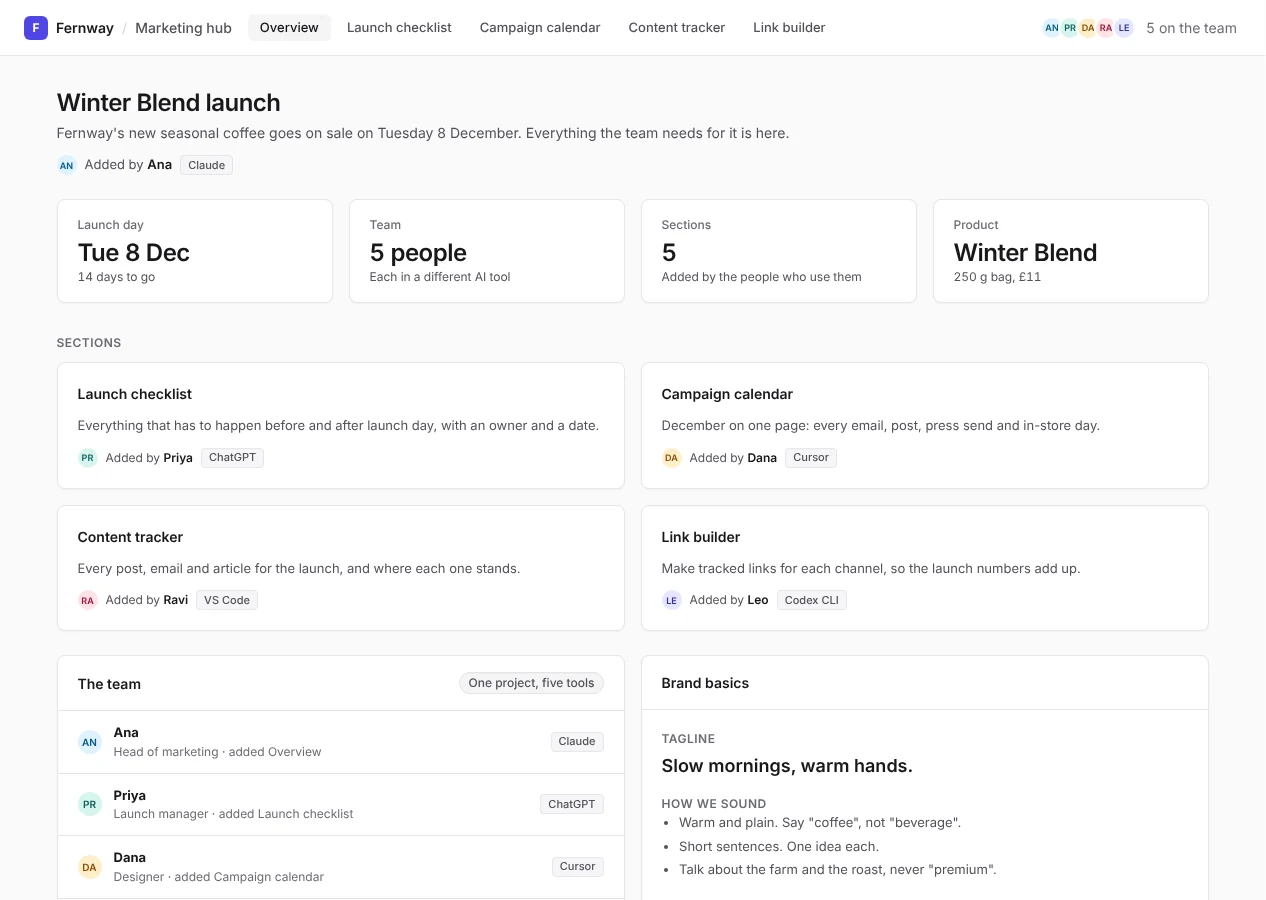
What each teammate added
Ana, in Claude: the overview and brand basics
The launch date with a countdown, the team and what each person added, and the brand basics: the tagline, three rules for how Fernway sounds and the three brand colours. This is the page the others build around.
Build a marketing hub for our Winter Blend launch on 8 December on Server4Agent. Start with an overview: the launch at a glance, the team, and our brand basics. Give it a clean shell with navigation so my teammates can add their own sections, and put a note on each section saying who added it. Keep it to my team only.
Priya, in ChatGPT: the launch checklist
Twelve tasks grouped into two weeks out, launch week and after launch, each with an owner and a date, and a progress bar for the whole launch.
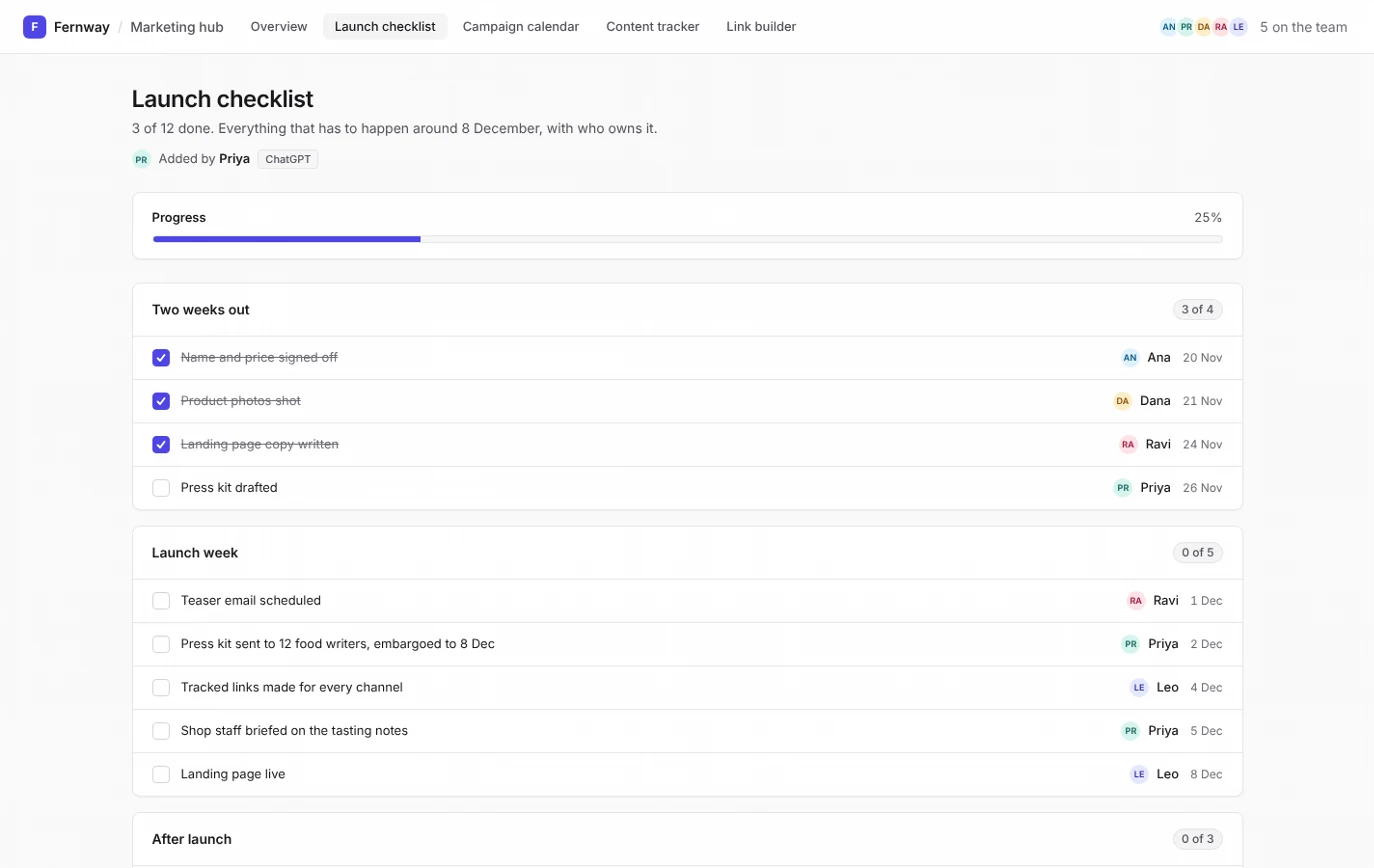
Add a launch checklist to our marketing hub on Server4Agent. Group the tasks by two weeks out, launch week and after launch, with an owner and a date on each, and show overall progress at the top.
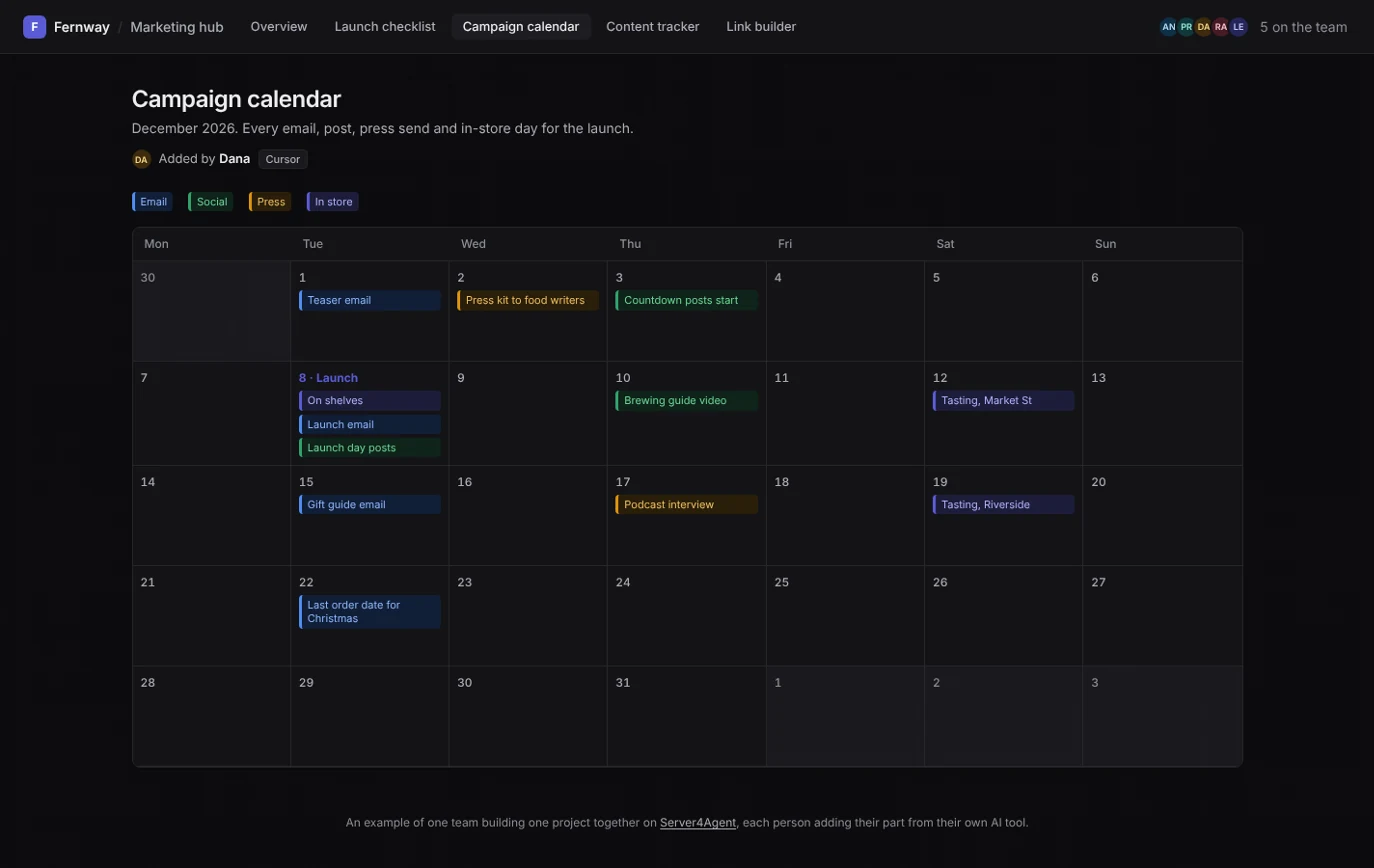
Dana, in Cursor: the campaign calendar
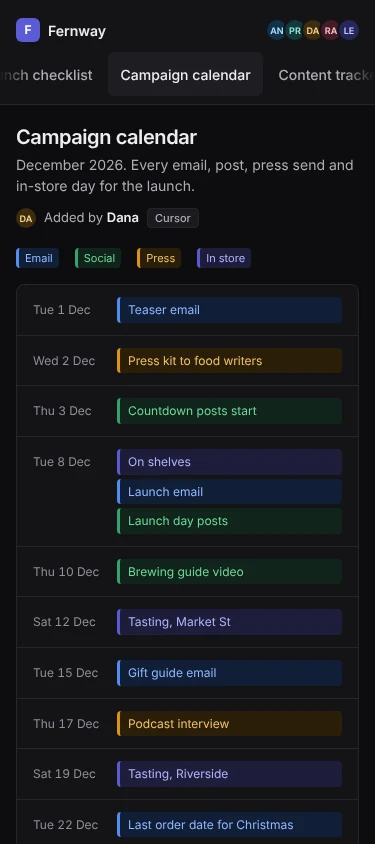
December on one page, with every email, social post, press send and in-store tasting colour-coded. On a phone it turns into a list of dates.
Ravi, in VS Code: the content tracker
Every piece of content for the launch, from the teaser email to the brewing guide video, with its channel, owner, status and date, and a count of what is at each stage.
Leo, in Codex CLI: the link builder
A working form that makes tracked links for each channel, so each sale can be traced back to where it came from. Pick a channel, copy the link, and use the same tags as everyone else.
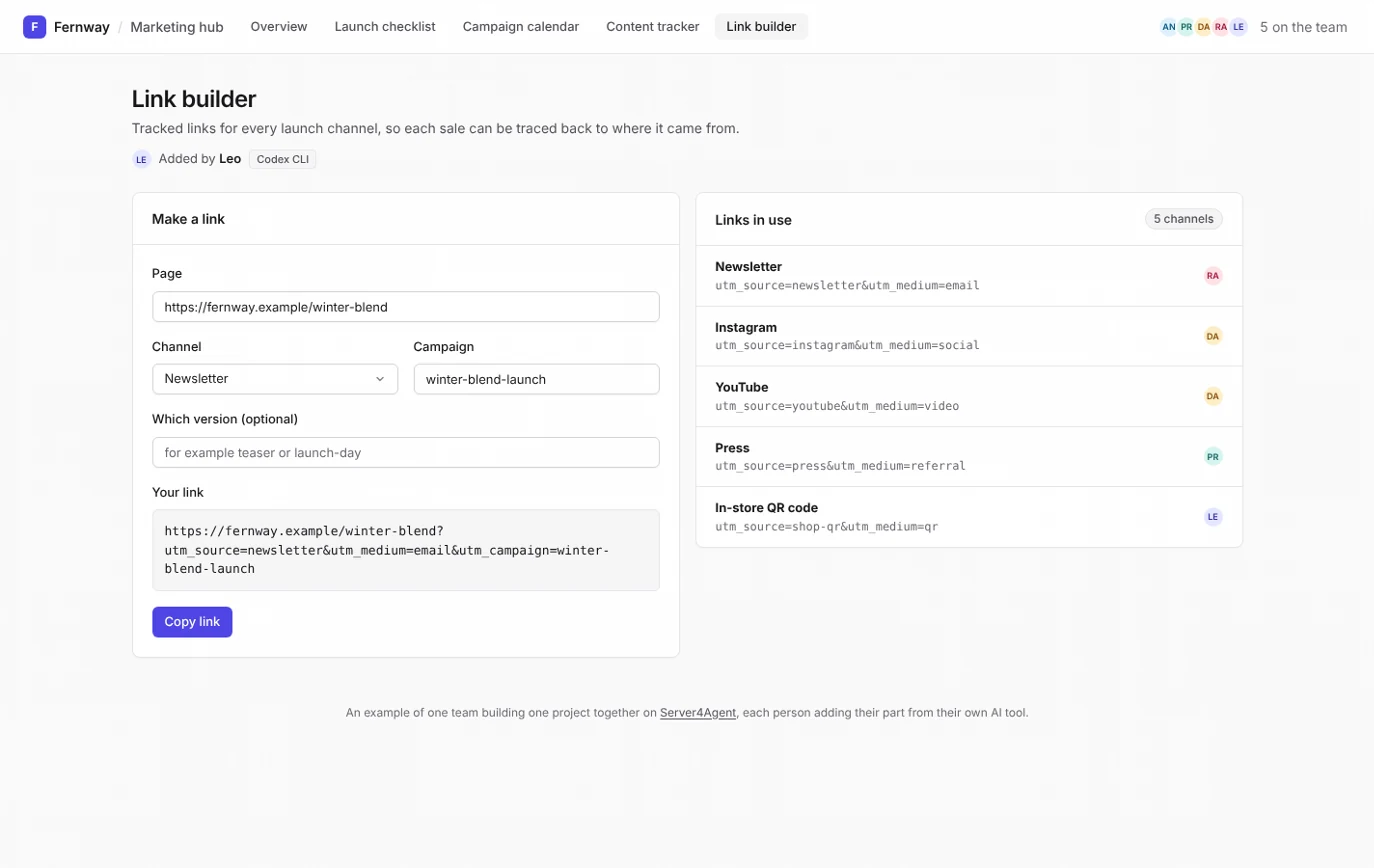
Add a link builder to the marketing hub. Pick a channel and it makes the tracked link with our campaign tags, with a copy button. List the channels we use so everyone tags links the same way.
How the hub grew
The hub reads its own git history and lists it on the overview in order, first change at the top, so you can see the five parts arrive one after another, each under the name of the person who added it.
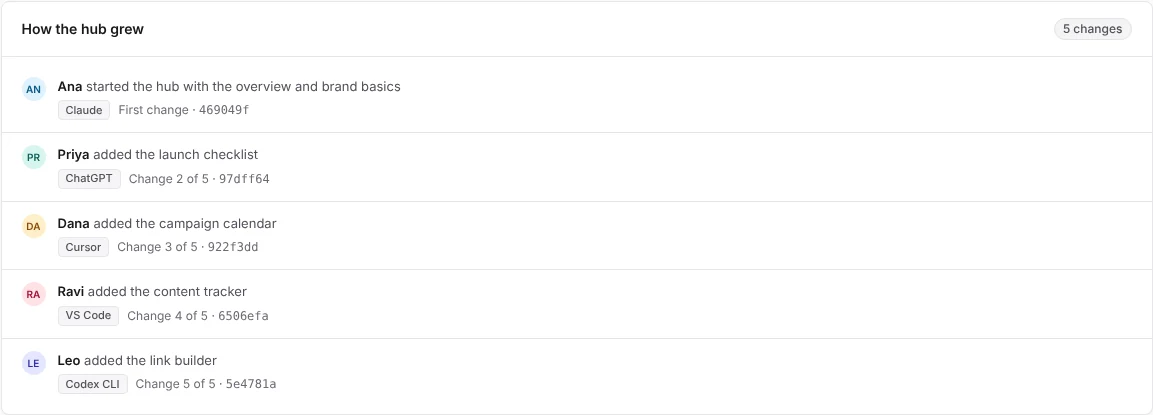
Your own project can do the same. Every Server4Agent project folder is a git repository, so ask your tool to commit each change with your name, and the history shows who added what. The Versions tab in the dashboard also lets you go back to an earlier version without losing the current one.
It works on a phone too, with the sections in a row you can scroll and the calendar as a list:
Build one app with AI as a team
- Create the project. Connect Server4Agent to the AI tool you use and ask for the first piece, as Ana did. Paste this and change the brackets:
Build a [marketing hub / team handbook / launch room] for my team on Server4Agent.
Start with [the first section you need]. Give it a shared shell with navigation,
so teammates can add their own sections from their own AI tools later,
and mark each section with who added it. Make the link team-only, then give me the link.- Invite your teammates from Team in the dashboard: members if they will add to the project, admins if they should also invite people, viewers if they only need to read it.
- Have each person connect their own tool. The integrations page has the steps for Claude, ChatGPT, Cursor, VS Code, Codex CLI, GitHub Copilot and any other MCP host.
- Let everyone add their part. "Add a launch checklist to the marketing hub" is enough. Each request changes the same project at the same link.
All of it counts toward one account-wide budget with a hard cap that no AI tool can raise, so five people working doesn't mean five open-ended bills.
FAQ
What is multiplayer vibe coding?
A team building one app together by asking AI tools for what they need. Each teammate adds or changes their part from their own AI tool, and every change lands in the same project behind the same link, so nobody works on a separate copy. Some tools call this a multiplayer project.
Do we all need the same AI tool?
No. In this example one person uses Claude, one ChatGPT, one Cursor, one VS Code and one Codex CLI. Each connects Server4Agent once and works on the same project.
Can someone see who added what?
Yes, if each change is committed under the name of the person who asked for it. Every project folder is a git repository, so ask your tool to commit your change with your name. The Versions tab in the dashboard also lets you go back to an earlier version.
Can I keep the project to my team?
Yes. Under Who can open it, pick My team, and opening the link needs a sign-in from someone on your account. You can also protect it with a password, or leave it open to anyone with the link.
What does a five-person team need?
Pro is $99 a month with 5 seats. Starter is $29 a month with 3 seats and Business is $299 a month with 15 seats. All usage counts toward one account budget with a hard cap.
Related reading
- How a team builds one tool when everyone uses a different AI assistant: three people, three assistants, one dashboard.
- Share an app you built with Claude so your team can edit it: the step-by-step setup for a team.
- Share an internal tool with your team without putting it on the internet: link access in detail.
- Cursor multiplayer Projects alternative: the same idea when not everyone uses Cursor.
- Built on Server4Agent: agalaxy.io, a multiplayer game made in one chat: the real-time game kind of multiplayer.